Film from the side.
Record a steady Concept2 stroke from the side. Clips can be up to 60 seconds — 20 to 45 seconds is ideal.
Rowing technique analysis - built for the Concept2
Upload a side-view video of your row. Get a frame-by-frame breakdown of your catch, drive, finish, and recovery - ready to inspect, screenshot, or export.
Drop your rowing video here
Side-view footage from your phone works best.
Up to 60 seconds (20–45s is ideal).
MAX 200 MB - MP4 / MOV / WebM - paid exports start after preview
No signup needed to try. Your first analysis preview is free. Longer clips and video exports are Pro features.
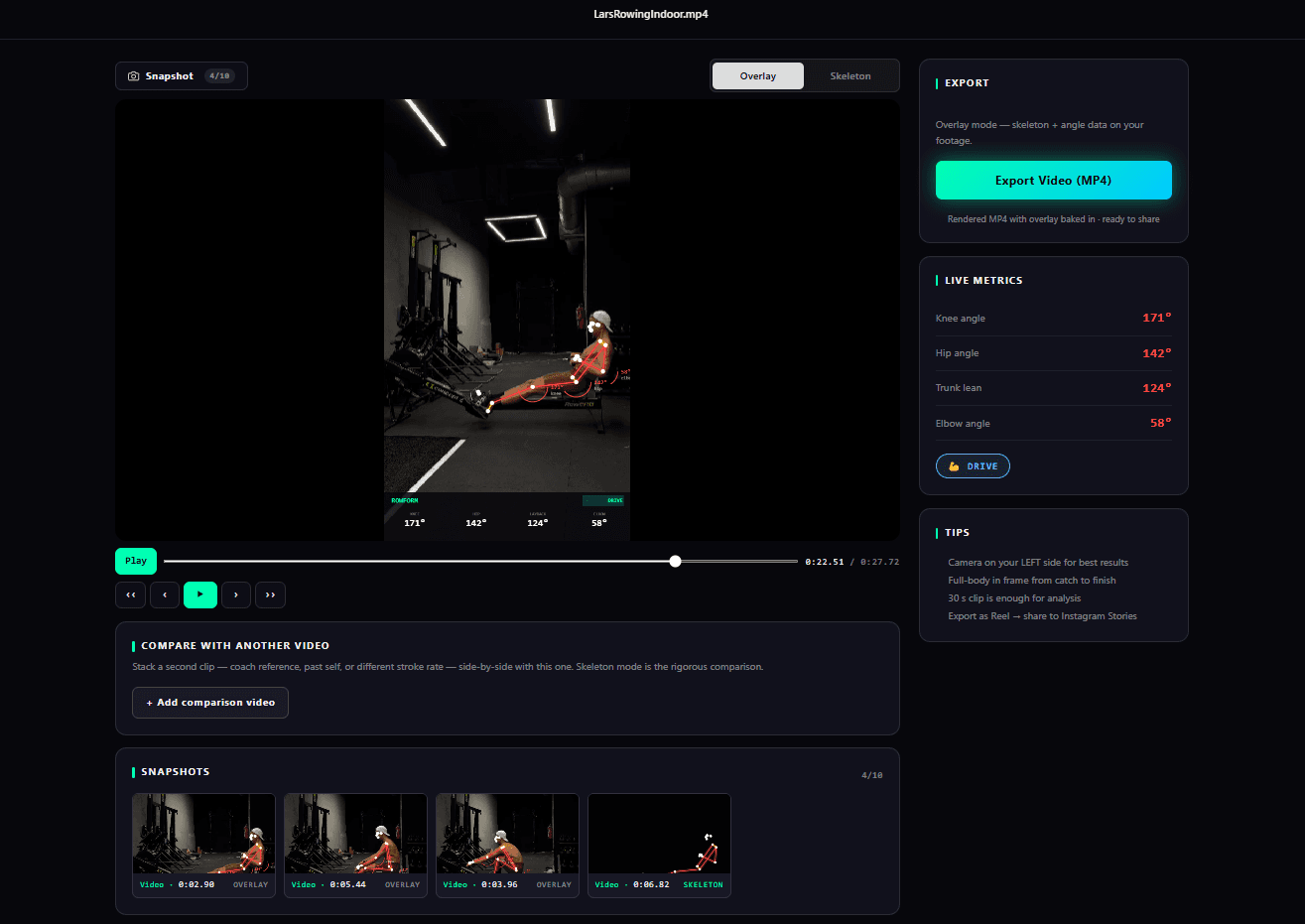
Actual product surface
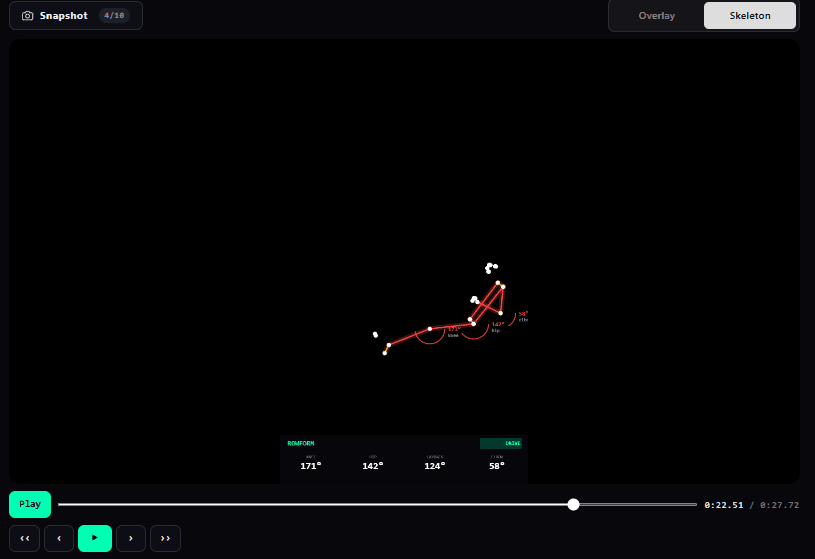
The dashboard is the proof: video, overlay, timeline, snapshots, and metrics in one focused review workspace.
How it works
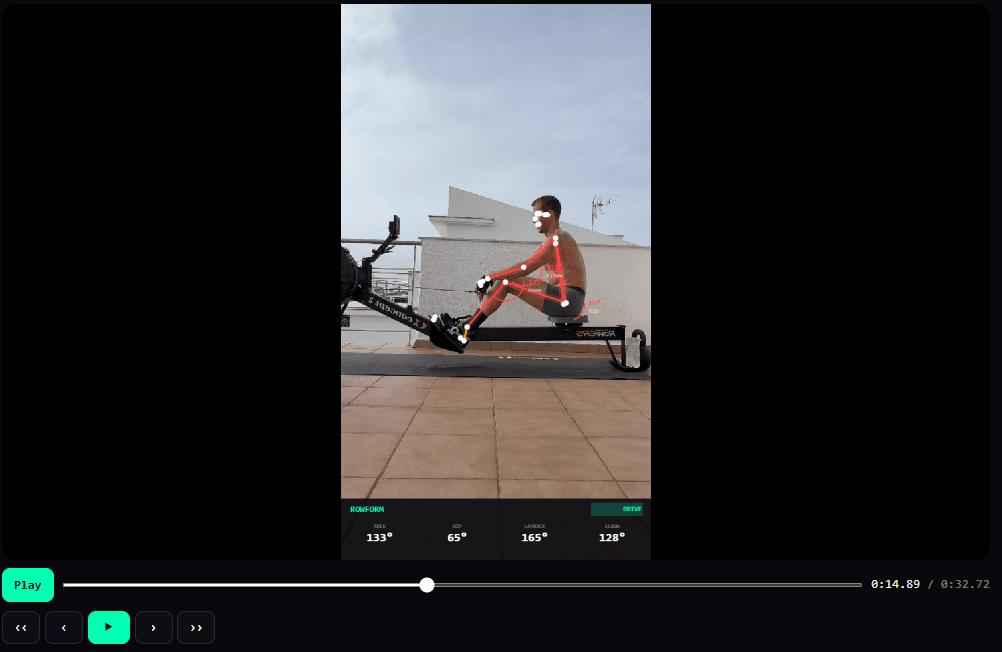
Film one row from the side, drop it into ROWFORM, and get a frame-by-frame breakdown you can actually use.
Record a steady Concept2 stroke from the side. Clips can be up to 60 seconds — 20 to 45 seconds is ideal.
No signup wall. ROWFORM lines up the stroke, labels the phases, and opens the analysis workspace automatically.
Step through every frame, save the moments that matter, and export a coachable package when you are ready.
For coaches
ROWFORM gives you the playback, comparison, and sharing workflow coaches need for Concept2 video review without a heavyweight platform.
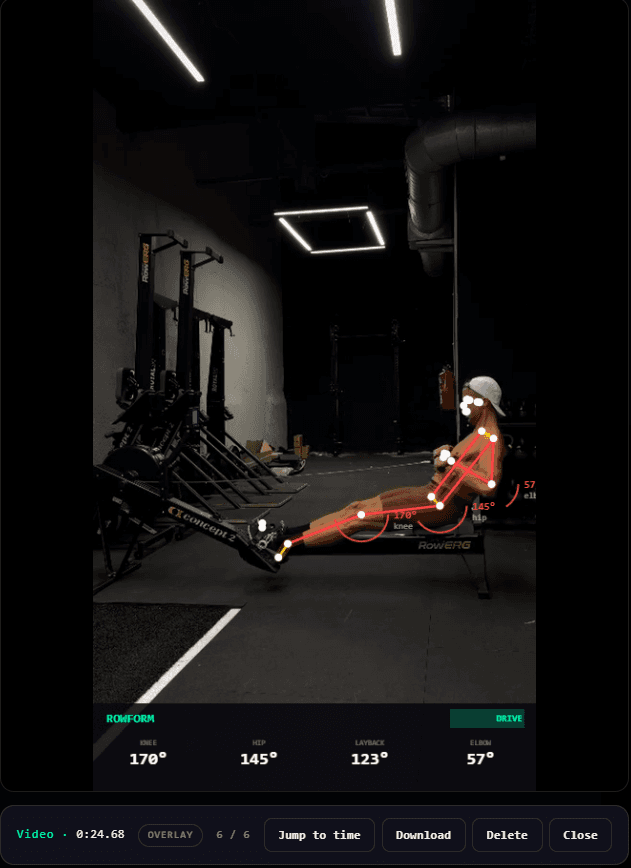
Jump to catch, drive, finish, or recovery without rebuilding context in a video editor. Take up to 10 screenshots per session and download them to share with your client or coach.
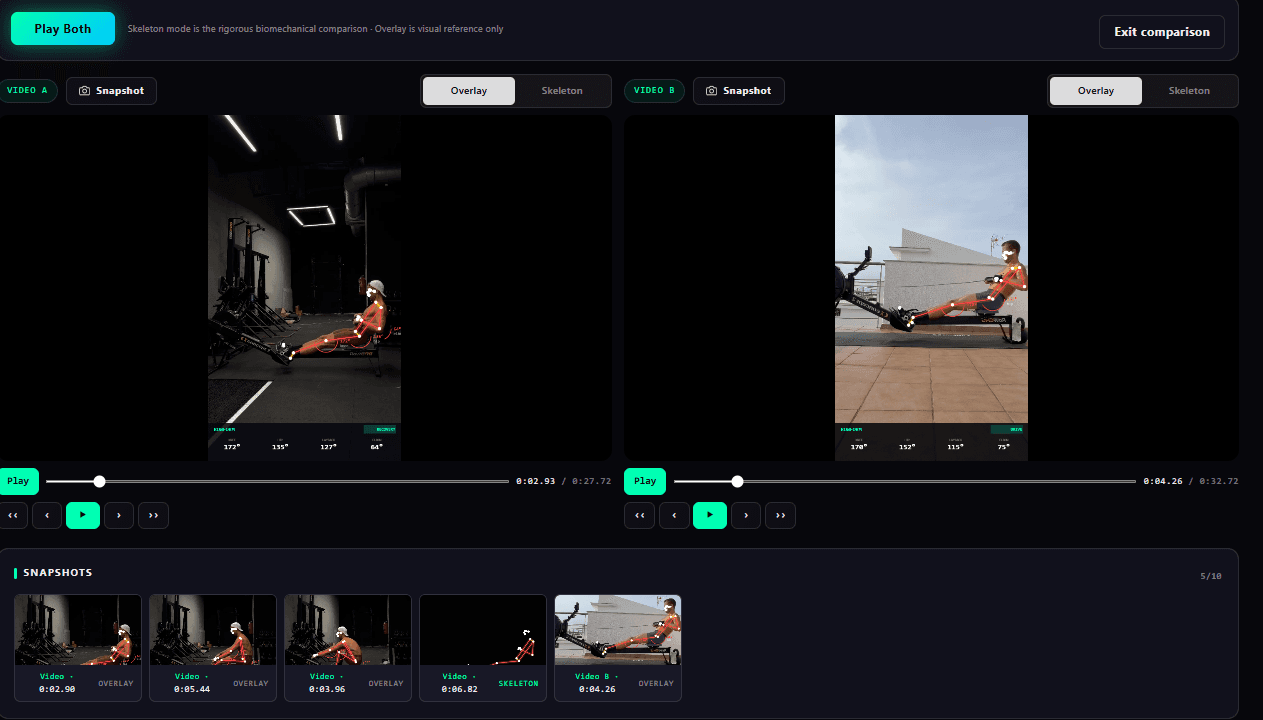
Use side-by-side playback to show whether a cue actually changed the row. That makes remote review concrete for the athlete, not just descriptive.
Athletes and creators
Your Concept2 monitor tells you how fast you went. ROWFORM shows how you got there: posture, sequencing, layback, reach, and the timing of each phase, including a built-in skeleton view that isolates your movement and makes technique easier to read.
Feature set
Every block is there to turn video into a coaching decision, not a pile of raw footage.
Catch, drive, finish, and recovery are detected and labeled so you can jump straight to the part of the stroke you need to fix.
Move through your row one frame at a time and see the exact moment posture, reach, or layback starts to drift.
Capture key frames for async coaching, training notes, or a quick comparison between the start and end of a workout.
A clean skeleton overlay makes shin angle, hip position, torso lean, and handle sequencing easier to understand at a glance.
Put two rows next to each other, sync playback, and compare changes across sessions or against a reference stroke.
Exports turn the analysis into social clips, coach videos, and privacy-first skeleton views.
Credits and Pro
The upload stays the conversion. Payment starts when exports, repeat analyses, longer clips, or coach workflows create clear value.
€0/preview
Run one side-view clip through the in-app analysis workspace before deciding whether to export or keep reviewing.
from €19.95
Best when you want downloadable videos or additional paid analyses without a monthly subscription.
€79/month
Built for coaches and frequent creators reviewing clips every week.
FAQ
Film one row from the side, drop the video into ROWFORM, and get a frame-by-frame breakdown of catch, drive, finish, and recovery. You can inspect the stroke without extra hardware or sensors.
A side-view Concept2 RowErg clip works best. Keep the phone level, include your full body from heels to head, and use a clip up to 60 seconds (20–45 seconds is ideal).
Up to 60 seconds. Shorter clips (20–45 seconds) upload faster and get you to the dashboard quickly, but anything up to 60 seconds works for analysis and export.
No. The upload is the first action. You only need an account when you want saved history, repeat usage, or paid export features.
Yes. The landing experience and analysis workflow are tuned around indoor rowing form review on the Concept2 RowErg.
The intended model is simple: preview the first analysis for free, then use video credits when you export a downloadable video package or analyze additional paid sessions.
That is the core use case. Coaches can review a side-view clip, capture key frames, compare sessions, and send feedback without forcing the athlete through a heavy platform.
Personal help
Stuck on an upload, an export, or reading your stroke? Message Coach Lars directly on WhatsApp for quick, personal answers.
Try it with your own row
Free while we are building. No signup needed to try. Your videos are yours, and exports can move into credits when you need the package.
Drop your rowing video here
Side-view footage from your phone works best.
Up to 60 seconds (20–45s is ideal).
MAX 200 MB - MP4 / MOV / WebM - paid exports start after preview